


Video Wall Management with eyevis eyeUNIFY
Setting the Course for Professional Video Wall Management
eyevis™ eyeUNIFY Video Wall Software answers the flexible requirements of modern video walls and information display systems in control rooms, collaboration rooms, board rooms, crisis rooms and corporate signage applications. The software’s modular, web-based concept allows for operation across platforms, different operating systems and a freely scalable number of clients.
Compatible with nearly every visual data and video source, eyevis eyeUNIFY Software provides the freedom to capture, display and share visual information across the video wall, control rooms and the entire enterprise
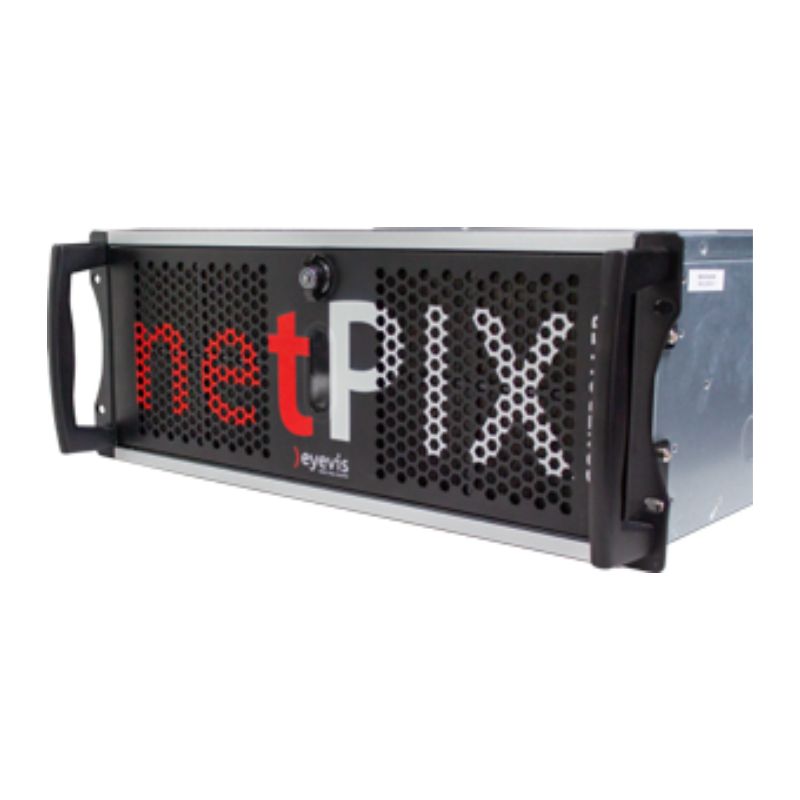
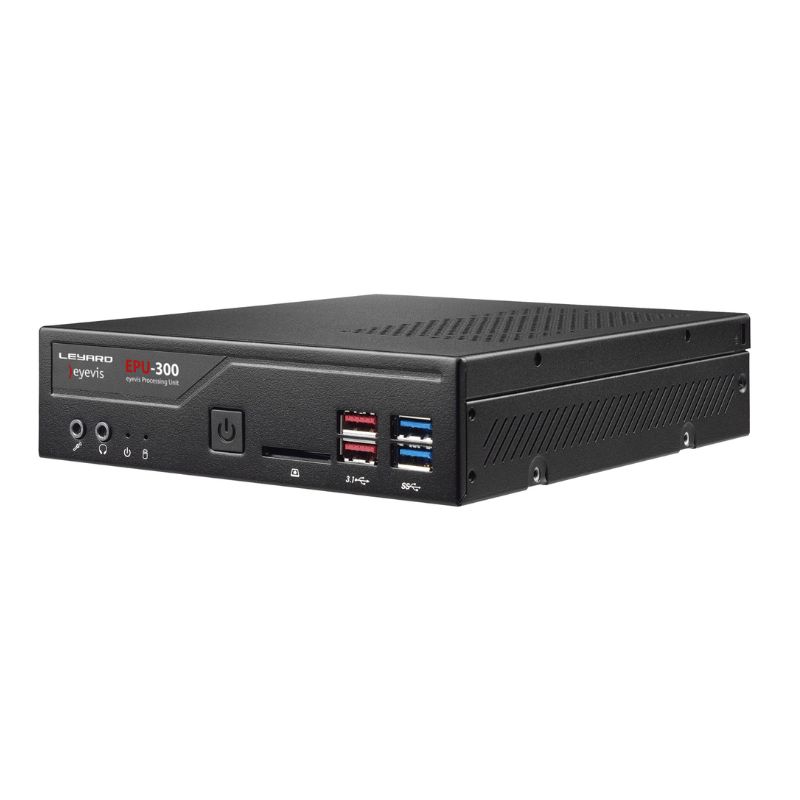
eyeUNIFY video wall management software runs with either a central eyevis netPIX Controller Series system or with the compact and decentralised eyevis IP video wall concept (EPU Wall).
- Comprehensive control over any sources and displays
- Web-based concept, browser-based GUI
- Fast due to push notifications with millisecond latency
- Three licence levels available to match customers needs
- Secure encrypted communication
- Comprehensive user management
- Open interfaces for 3rd party system integration
- Simple to maintain, flexible scalability
- Advanced logging tool with new interface and features
- Milestone XProtect VMS Integration
Overview
eyeUNIFY Licences
| Features | Professional | Enterprise | Surveillance |
|---|---|---|---|
| All Main FeaturesIncluding Auto Source Discovery, I/O Box Support, API, Flows (Auto Change Over) | ✓ | ✓ | ✓ |
| Capture ServiceRemote desktop capture (CAST), RDP, Wall Sync | – | ✓ | ✓ |
| Surveillance FeaturesMilestone Integration, Genetec Plugin, Wall Recording | – | – | ✓ |
eyeUNIFY Features at a Glance

Free Positioning & Scaling
Resize and position the content source freely on the desktop area.

User Management
Connect eyevis eyeUNIFY Software to your existing LDAP/Active Directory and make use of role based user management and centralized user authentication.

Layout Management
Easily save a configuration of sources as a layout. Layouts can be used as source groups or recalled as a window configuration on the entire video wall.

Multi-Display Management
eyevis eyeUNIFY Software can scale from single screen installations, to multi-screen controllers or distributed video wall systems without limitations.

Automatic Change-Over
Switch automatically to a backup controller in case of fault detection on the main executor, or switch to a defined device when its operation is detected.

Open Interfaces
Easily integrate eyevis eyeUNIFY Software into your system architecture and connect existing and new components over the API.

Audio Management
eyevis eyeUNIFY Software allows to control the sound level of any HDMI or DP source from any client.

Flow Scheduler
Automate the management of your video wall with time-controlled triggers and associated tasks: opening of sources and layouts, sending commands, executing linked commands and upstream switcher control.

Hotkey Manager
Freely define your individual hotkeys and keyboard shortcuts for every operator workstation. Users can immediately respond to a situation by pressing a button.

Advanced Logging
The advanced logging provides a comprehensive overview of the activities on your video wall system, such as system events, user accesses and actions.

Multi Language
Choose between English, German, Italian and French. More languages can easily be integrated based on customer’s needs.
Panorama View
Get an even more intuitive overview by uploading an image or a building plan on which you can place your existing video walls and displays.

Offline Layout
Create or modify a layout offline, that is to say without impacting the video wall display.

Web Pages Auto-Refresh
Set the automatic refresh of a web page displayed on the video wall, using the Browser type of source.

New I/O Box Support
Automate the management of your video wall and initiate flow processes triggered by dry contacts.

Auto Source Discovery
Browse your network and automatically include industry standard devices such as IP network cameras or video encoders in your source list.

Remote NDI® Source Support
NDI-enabled applications connected to the local area network can be easily added to the list of available input signals.*NDI source support up to SDK version 6.0
Wall Recording
The new recording function enables the recording of predefined display areas or complete video wall systems for future analysis and training.

Milestone XProtect VMS Integration
Get seamless control in Milestone XProtect VMS Smart Client through our new eyeUNIFY plugin, or automatically include all sources connected to the Milestone server in eyeUNIFY.

Genetec Security Center Plugin
A new Genetec Security Center plugin enables wall management features in the Genetec GUI as well as automated inclusion of Genetec sources in eyeUNIFY.
Configurations
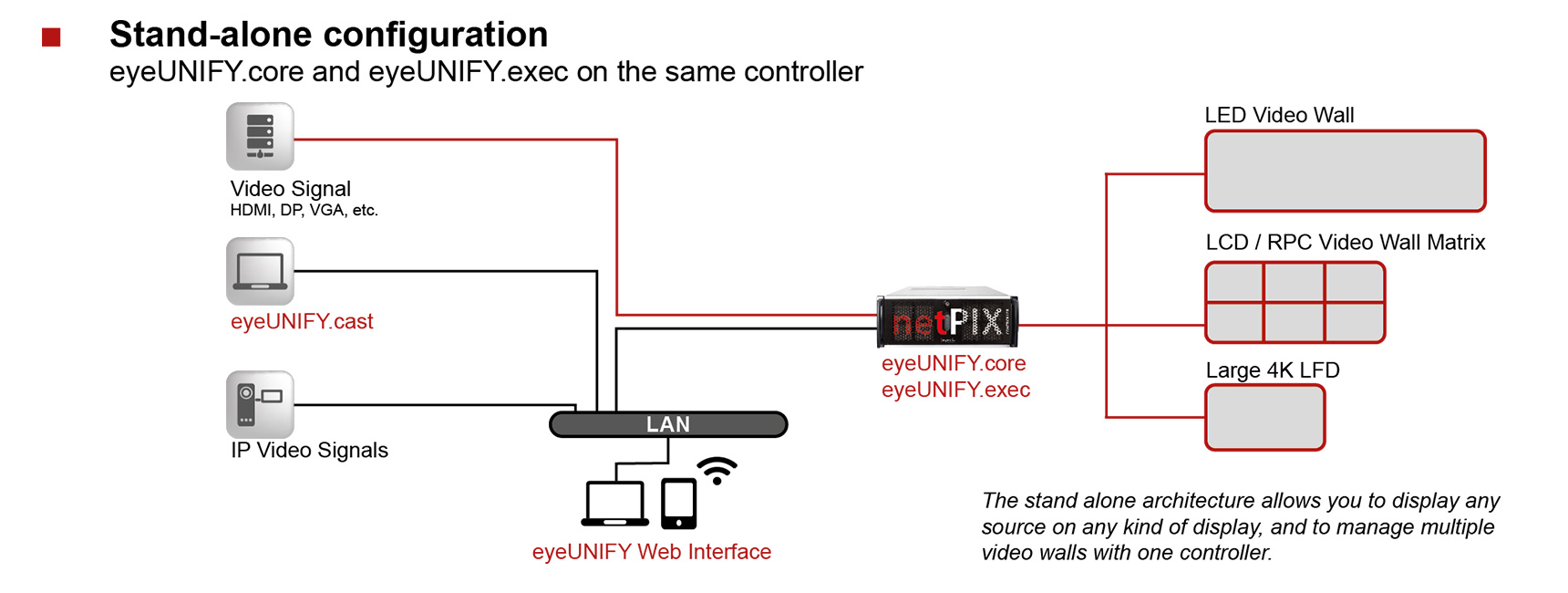
Stand-alone Configuration
eyeUNIFY.core and eyeUNIFY.exec on the same controller
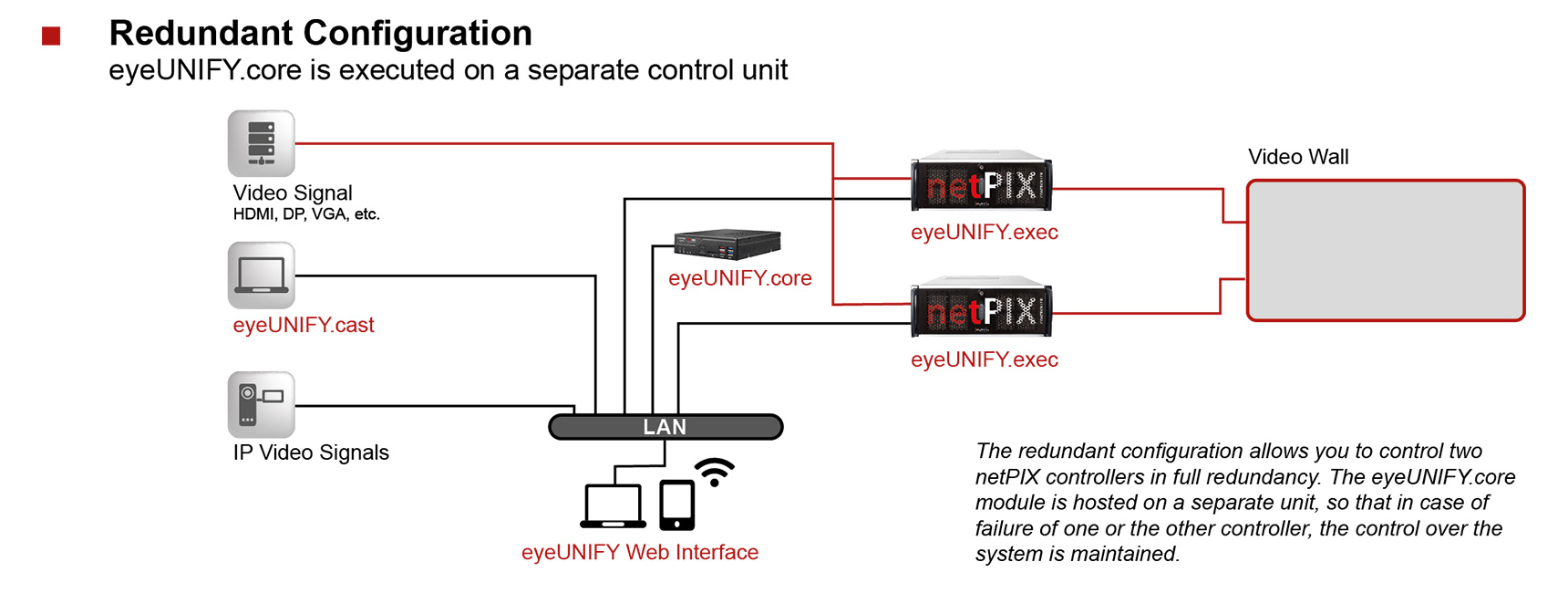
Redundant Configuration
eyeUNIFY.core is executed on a separate control unit
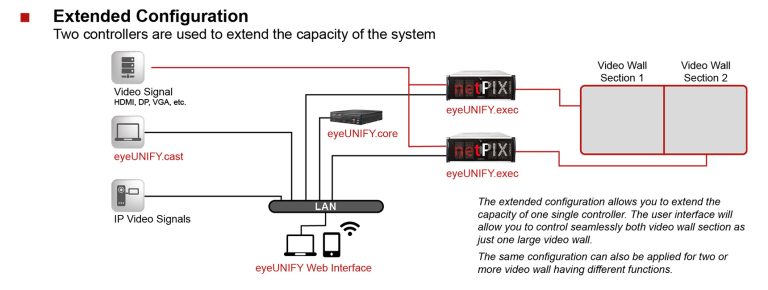
Extended Configuration
Two controllers are used to extend the capacity of the system
EPU Configuration
One EPU-300 drives one or two displays (surveillance applications)
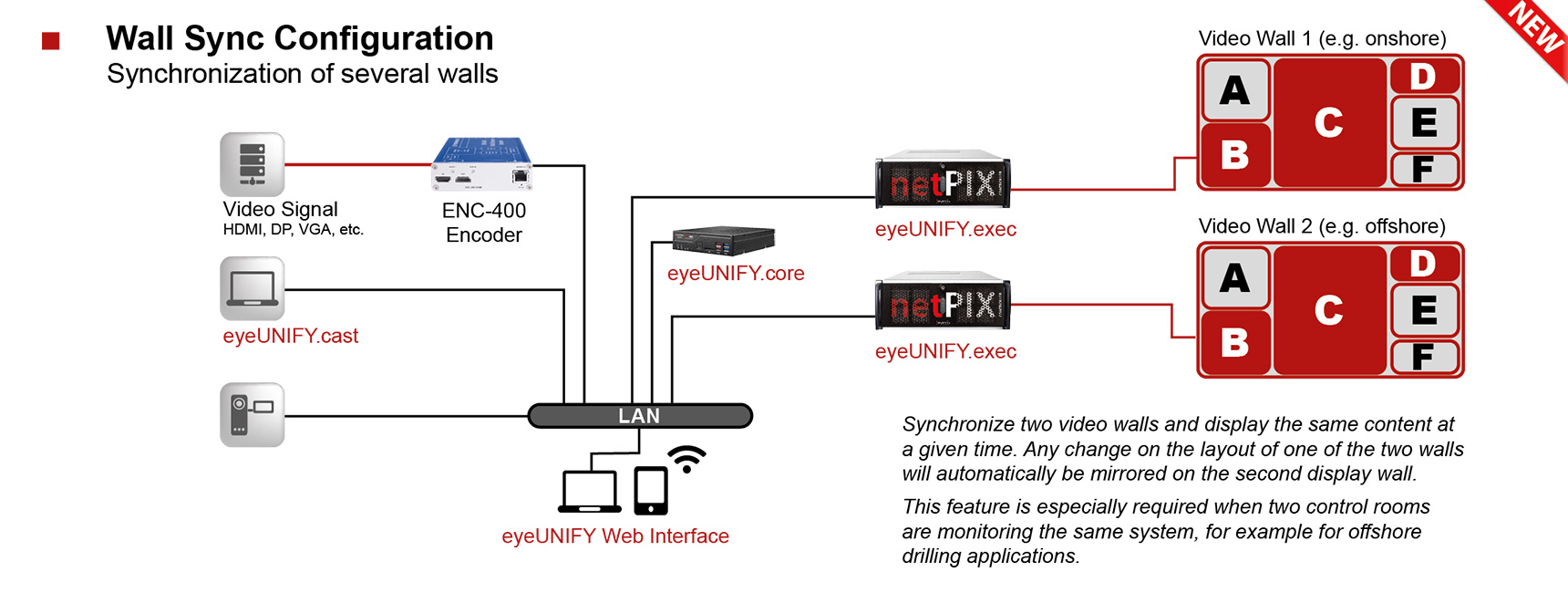
Wall Sync Configuration
Synchronization of several walls
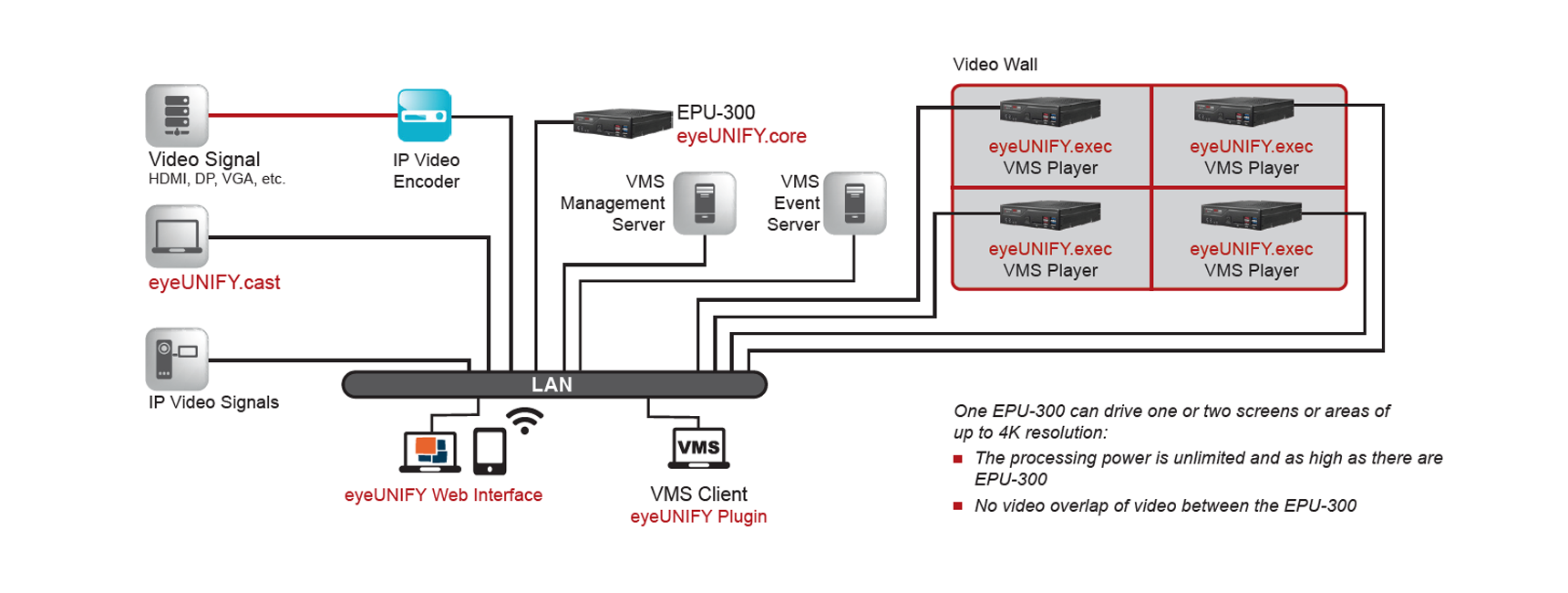
Video Management System Plugin
Integration of leading video management systems (VMS) via eyeUNIFY plug-in
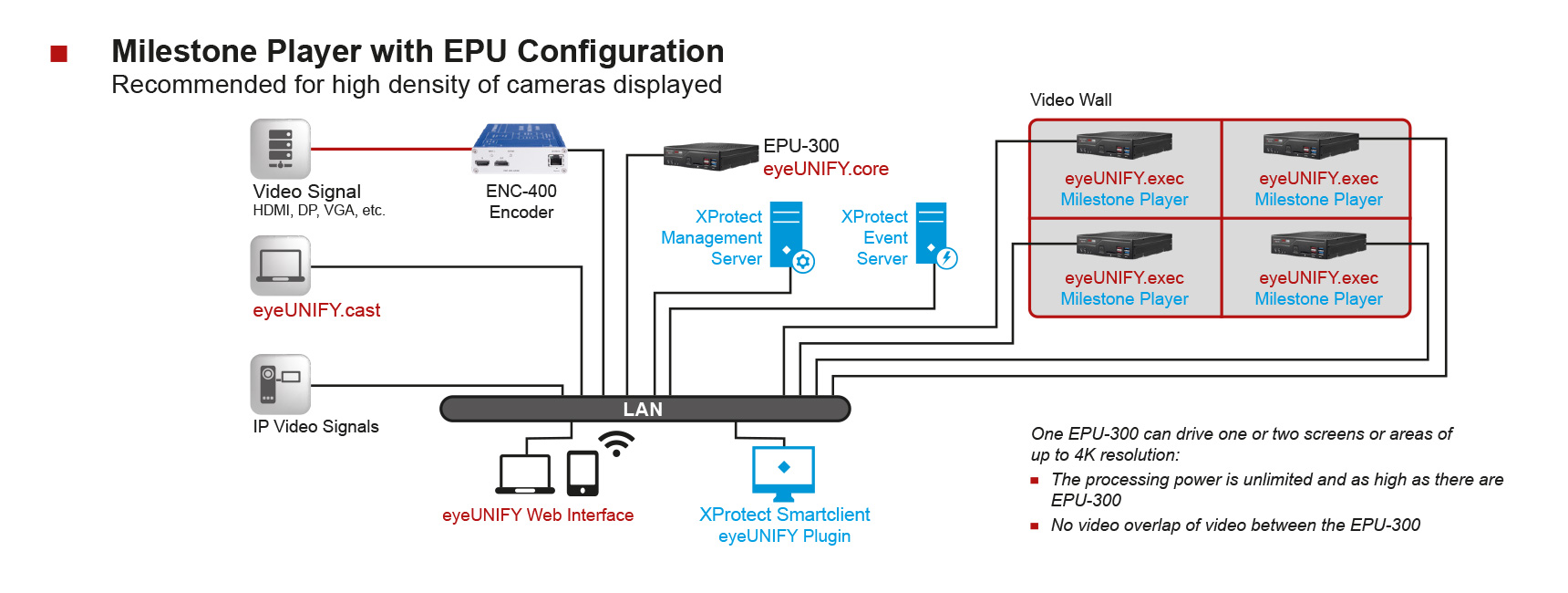
Milestone Player with EPU Configuration
Recommended for a high density of cameras displayed


Reviews
There are no reviews yet.